
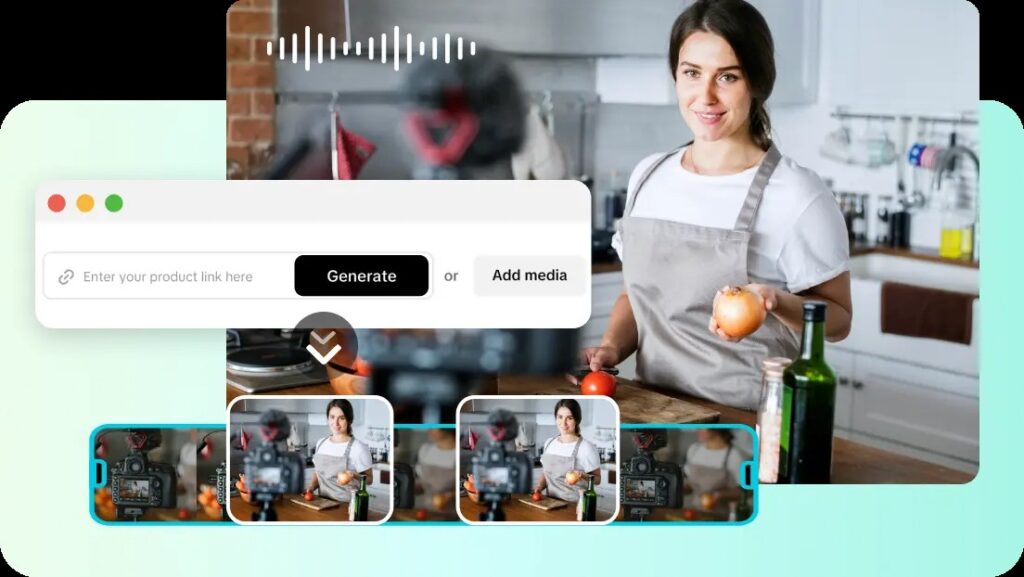
Loop-ready videos have grown in popularity because they allow the videos to be watched repeatedly on social media. Seamless repetition has the effect of keeping the audience engaged for longer without any noticeable playback breaks. Perfect manual loops can sometimes be tricky to get right in terms of timing and frame adjustments. With AI-powered video generation and intelligent editing capabilities, Pippit makes this process easier. The platform facilitates the creation of high-quality looping content with minimal human effort and enables efficient creative production.
Why Loop-Ready Videos Capture More Attention
Videos that are loop-ready will provide a seamless viewing experience that will help promote repeat viewing. Continuous playback decreases interruptions from abrupt scene cuts or visible scene transitions. Restarts are often seen as a natural transition, which keeps viewers engaged. This visual repetition can lead to greater engagement on short-form social media. Smooth loops also make for more professional-looking promotional clips, animations, and product showcases. Good flow and interest are created at the beginning and end of repeated playback. It’s movement that’s consistent, timing that’s well-balanced, and continuity that’s natural; it makes for a satisfying viewing experience that makes for longer watch sessions.
How AI Video Generator Creates Seamless Video Loops
The technology of AI video generator has made it possible to automatically analyze the opening and closing frames and then create a continuous sequence. Pippit automatically synchronises scenes so that there is less obvious playback disruption between repeated cycles. The movement is consistent between successive frames so as to avoid distracting changes in the position of objects. Pacing adjustments are automatic to prevent abrupt pacing changes. Intelligent processing also enhances frame alignment in complex camera movement. Such automated enhancements minimize manual editing and ensure videos are played back seamlessly on various social media platforms with a polished and professional look.
Essential Elements of a Perfect Loop
Loop videos must have a well-balanced visual consistency for each playback sequence. There should be no abrupt change of direction or interruption of the natural movement. Lighting is consistent so that there are no obvious differences in scene-to-scene brightness. Balanced Transition Timing: When transitions are timed properly, the visual flow is continuous, avoiding distracting cuts or delays. Audio should be rhythmic with no harsh restarts during repetitions. The image quality is excellent and maintains clear details through many playthroughs. Pippit contributes to those enhancements with its advanced processing, and Seedance 2.5 adds to the realistic motion generation for polished looping performance throughout creative projects.
Core Components of Successful Loop Videos
- Natural Frame Matching: Smoothly links the first and last visuals and minimises visible playback interruptions.
- Balanced Motion Flow: Ensures uninterrupted movement and visually pleasing repeat cycles in objects.
- Even Scene Timing: Maintains even pacing during playback, avoiding sudden jumps in the visuals.
- Smart Transition Placement: Smoothly fuses multiple scenes and enhances seamless looping performance.
- Optimized Visual Quality: Maintains crisp details after multiple playbacks for professional-looking social content.
- Adaptive AI Enhancements: Automatically enhances generated visuals for polished and consistent looping results.
Steps to Create Loop-Ready Videos for Social Feeds with AI Video Generator
Step 1: Create your looping video setup
- Sign up for Pippit using your Google, TikTok, or Facebook account.
- Open “More” from the left menu and select “Video generator”.
- Choose an AI model such as Dreamina Seedance 1.0, Dreamina Seedance 2.0, Dreamina Seedance 2.0 Fast, Dreamina Seedance 2.0 Mini, or Dreamina Seedance 2.5.
- Write a prompt describing your loop effect and video style.
- Adjust video length, language, subtitles, and aspect ratio.
- Click “+” to upload reference images or videos from your device, phone, Dropbox, or a link, or select assets.
- Click “Generate” to create your loop video.
Step 2: Generate seamless loops
- Pippit’s AI video generator creates a loop-ready video from your prompt and references.
- The AI manages transitions, pacing, captions, avatars, voice, lyrics, and visual enhancements.
- Review the video draft before editing.
Step 3: Edit and publish your loop video
- Click “Download” to save the video, select “Regenerate” for changes, or choose “Edit more” for customization.
- Edit captions, add text, and adjust size, color, alignment, filters, and effects.
- Add music, remove backgrounds, and enhance visuals.
- Click “Export” to finish.
- Choose “Publish” for social platforms or “Download” to save the video.
AI Editing Features That Improve Loop Performance
Enhanced editing features enhance the quality of looping, fine-tune the movements, and create smoother scene transitions. Prompt-based editing is editing of motion without the need to rebuild the entire project from the start. Auto scene adjustment ensures that sequences are more aligned for seamless playback. Intelligent transitions minimize visual breaks when repeatedly viewing. AI-generated captions and overlays are in sync with the timing of the scenes for consistent presentation. Background music synchronization keeps the music continuous during multiple playback and helps to achieve a more refined final viewing result in multiple publishing formats.
Designing Loop Videos for Different Social Platforms
Each social platform has its own favorite video format to suit video viewing habits. Vertical videos are designed to fit mobile-first feeds that users attend to on a full-screen basis. Square videos are compatible with publishing on multiple social networks without having to do a lot of cropping. Landscape videos are still good for presentations, demonstrations, and general visual storytelling. Short promotional videos grab people’s attention and efficiently present marketing messages. Creative animation loops featuring products, branding, or artistic visuals that are moving continuously. Pippit accommodates a variety of aspect ratios, enabling creators to create optimized content for various publishing destinations in a single editing workflow.
Common Mistakes to Avoid When Creating Loop Videos
Any sudden end is obvious and will diminish the satisfaction of viewing the work and alert viewers to the fact that they are watching a playback. When lights are not consistent, it will cause a noticeable change in the scene, which will break up the flow of the image. Transitions that are too complicated can draw in unneeded attention rather than helping with the flow. If there are any repeated sequences, uneven pacing makes the movement look rushed or slow. Wrong aspect ratios can cause unwanted cropping on various platforms. Poor resolution also makes the presentation quality lower during repeated playbacks. With careful planning, balanced editing, and consistent visual design, one can create professional loop videos that resonate with the audience.
Maximizing AI-Powered Customization Before Export
Prompt engineering makes a difference in the quality of the generated visuals and enhances motion consistency when the same prompt is used multiple times for playback. No caption should be placed over important visual elements in a way that obscures the caption. Filters can be used to improve colour balance without altering the natural look of the scene from shot to shot. In the background music, there should be a balance between volume and timing to prevent any audio restarting. Smooth playback on social platforms, appropriate resolution and frame rate. Pippit integrates all of these customization tools in a single process, enabling you to refine your projects efficiently prior to final export without sacrificing pro-grade visual quality and reliable looping performance.
Conclusion
With the advent of seamless looping videos, there is no need for complex video editing or production expertise. Intelligent automation makes frame alignment, motion consistency, transitions, and visual refinement easy. Pippit’s capability to generate video alongside its powerful editing tools within a single creative workflow simplifies the creation of professional loop-ready content. The streamlined process enables creators to produce high-quality social videos efficiently, ensuring a uniform experience across various platforms.