
Photo from Pexels.com
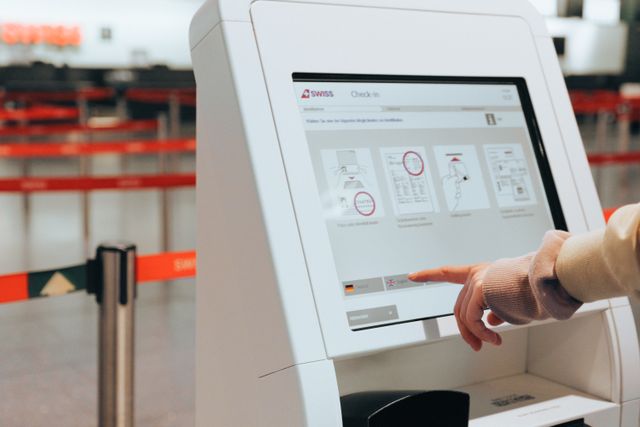
Contactless check-in means guests confirm their arrival with a QR code or a tap of their phone instead of giving a name at a desk. Organisers now use it for weddings, conferences, fundraisers and private parties, and several parts of the day change with it, including the message guests receive beforehand and the greeting they get at the entrance.
How the Process Runs on the Day
Each guest receives a unique code by email or text once they’ve confirmed they’re coming, and a member of staff scans it on their phone or a printout at the entrance. The guest list updates as people arrive, so the host can see who has turned up without anyone ticking off names on paper. Caterers and venue staff can use that live count to time food service and seating.
Planning for Temporary and Outdoor Venues
At a garden party or wedding reception organised with marquee hire in London, the check-in table sits on grass or a temporary floor near the entrance, so it’s worth planning power, signal and a backup before the day and walking through the arrival route with the host.
Power: Bring outdoor-rated extension leads and keep a charged battery pack with the scanner or tablet, so check-in carries on wherever the nearest socket happens to be. Tape cables down along walkways. A spare charging cable in the host’s bag adds very little weight.
Signal: Mobile operators add temporary masts at festivals and sporting events because demand for mobile data surges around busy events, so it’s worth testing the signal at the entrance in advance, on the network most guests use, and asking your check-in supplier whether the scanner works offline.
Backup: Print the guest list and keep it with the host, so staff can look names up by hand whenever a guest prefers to give a name instead of showing a code. A second device logged into the same list at the far end of the marquee splits a busy arrival into two queues.
Sending Codes and Reminders Beforehand
Put the code in the same message as the date, time and parking details, then send it again two days before so guests can find it quickly. On the day, signs along the route to the entrance reminding guests to have QR codes ready keep the line moving, since each person who’s prepared saves a few seconds and those seconds add up when a crowd arrives together.
Keeping the Welcome Personal
Once a scanner does the admin, staff are free to greet people by name, point out the bar or cloakroom and help anyone who wants a hand with their code. Keep one person on the door whose only job is to look names up by hand for guests who prefer that.
Before the event, run a test with a few friends or colleagues on the same devices and in the same spot, so any gaps show up while there’s still time to fix them. Agree who greets, who scans and who looks names up, and write the plan on one page every member of staff can read.