
A local notice usually begins with a simple job. Tell people when the meeting starts. Explain where the road closure is. Remind families about a school deadline. Announce a library event, a fundraiser, a registration window, or a neighborhood service change.
Those updates can work well as short videos, but only when the message stays clear. A moving clip can attract attention in a social feed. It can also bury the date, crowd the screen, or make a small update feel more dramatic than it really is.
For community publishers, local organizations, small businesses, and public-facing teams, the first question should not be whether a notice can become video. It should be whether video will make the notice easier to understand.
Start With the One Thing People Need
A short video cannot carry every detail from a community post. It should carry the one thing people need first.
For an event, that may be the date, place, and who should attend. For a service change, it may be what is different and when the change begins. For a fundraiser, it may be the cause and the next step. For a weather-related announcement, it may be where to find the current official update.
If the team cannot write the message in one plain sentence, the video brief is not ready. A short clip will not fix a crowded notice. It will usually make the crowding more obvious.
Use a Draft to Test Order and Emphasis
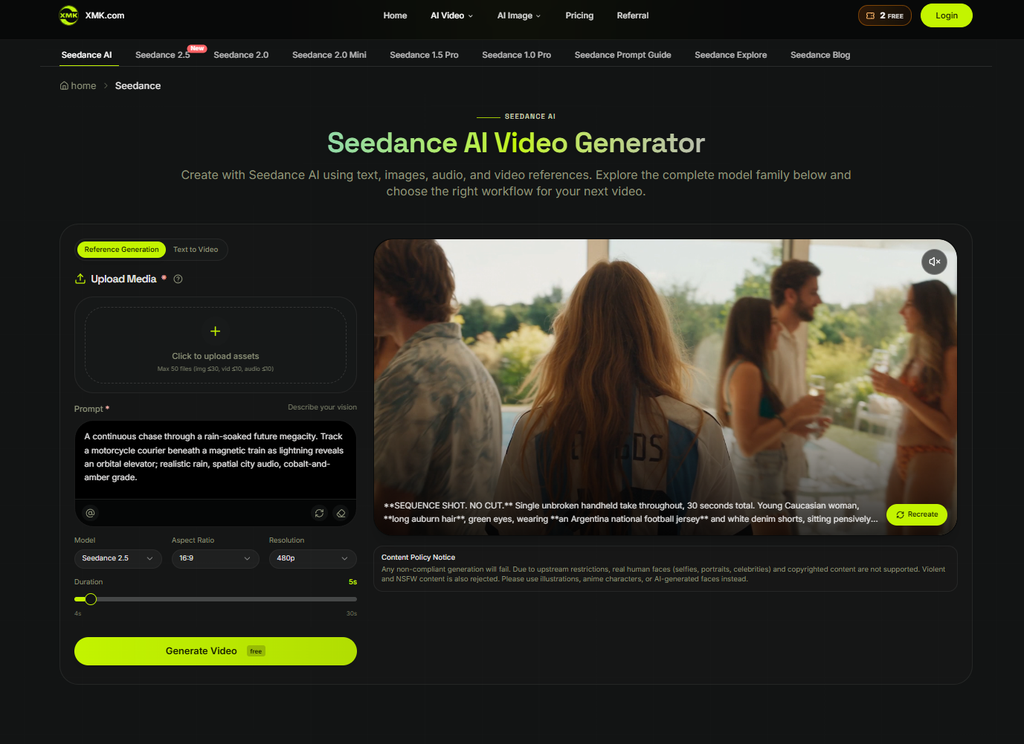
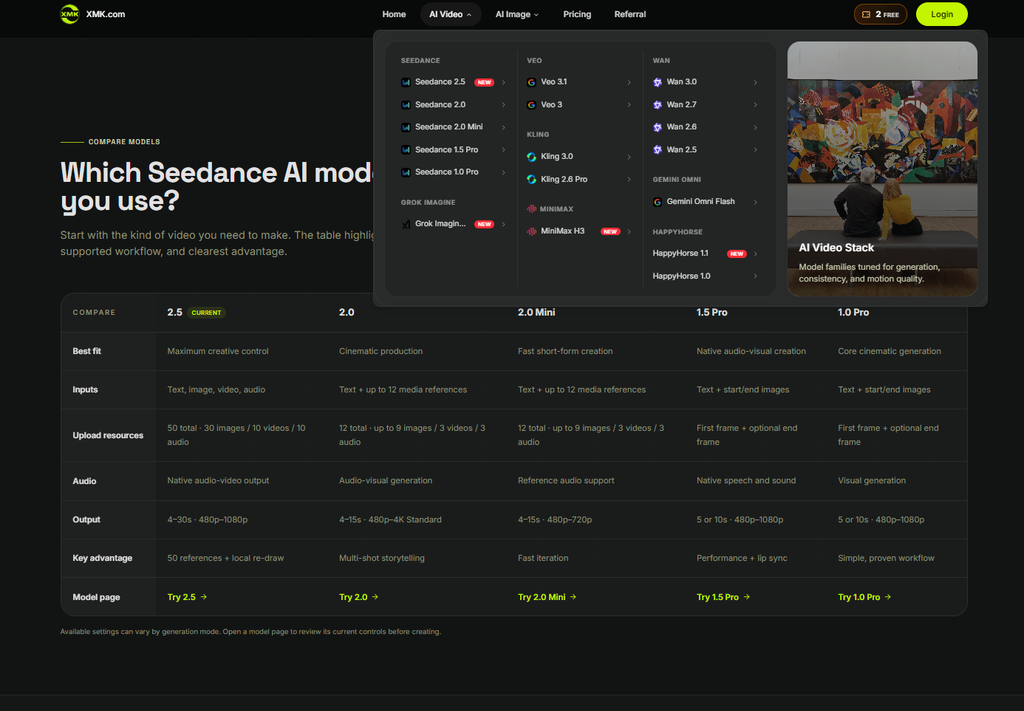
Seedance can fit into this early planning stage. The current XMK Seedance page presents several video workflows, including text-to-video and reference-guided generation, with supported image, video, and audio inputs and model-specific controls for duration, resolution, aspect ratio, and reference limits. Teams should confirm the current controls, content rules, costs, upload limits, and usage terms inside the product before using a draft for public or paid work.
The useful role of a draft is modest. It can help editors see whether the first frame makes sense, whether the pacing gives viewers time to read, and whether the visual idea supports the notice instead of competing with it.
A practical community announcement might use the opening frame to name the update, the middle to show one simple context cue, and the final frame to leave room for a verified date, address, phone number, or link added during editing.
Keep Important Facts Outside the Generated Scene
Dates, times, addresses, prices, phone numbers, deadlines, eligibility rules, emergency instructions, and official names should remain editable. These details change too often and matter too much to be treated as background decoration.
The safest workflow is simple: use the draft for the visual structure, then add exact text in the final edit from the approved article, flyer, public notice, or official source. That makes correction easier if a meeting time changes or a venue adds a room number.
Final notices should identify the responsible organization and, where timing matters, show when the information was last verified and when it takes effect or expires. Editors should check the source again immediately before publication rather than relying on the date shown in an earlier draft.
It also helps accessibility. Live captions, alt text, article copy, and written instructions are easier to check than small generated words inside a moving frame.
Do Not Make Routine Updates Look Like Emergencies
Community communication depends on trust. A routine schedule change should not look like breaking news. A local fundraiser should not look like a crisis appeal unless the facts support that tone. A weather reminder should not use dramatic disaster imagery when the article is only telling readers where to check official alerts.
Short video can exaggerate tone quickly. Red flashes, siren-like motion, dark clouds, crowded scenes, or urgent countdowns may get attention, but they can also make the post feel less reliable. The visual style should match the real importance of the update.
If the notice is practical, the video can be practical too. A calm background, readable headline, and clear final frame may do more for the audience than a cinematic sequence.
Generated video should not be the sole or primary channel for emergency warnings, evacuation instructions, severe-weather alerts, missing-person notices, urgent health guidance, or rapidly changing public-safety information. Those updates should come from the responsible authority, use established alert channels, and direct viewers to a current official source.
A scheduled social clip may remain visible after the facts have changed. Urgent posts need an owner, an expiry or review time, and a process for correction or removal.
Use Simple References
Reference material should make the notice clearer, not heavier. A color palette, a map-inspired shape, an original event graphic, a non-sensitive location sketch, or an approved layout can be enough to guide a draft.
Editors should avoid uploading private files, personal records, unpublished internal screenshots, identifiable community members, school or medical details, or third-party creative assets that have not been cleared for external AI processing. For many local notices, a generic visual approach is better than a realistic one.
XMK currently states that real human faces, including selfies, portraits, and celebrity material, and copyrighted content are not supported in this workflow. Violent and NSFW content is also rejected. Rights clearance, privacy approval, and platform eligibility should therefore be checked separately before upload.
Notices involving children, schools, shelters, healthcare services, disability services, immigration support, or people in vulnerable situations require additional privacy and safeguarding review. Avoid identifiable faces, names, attendance patterns, medical details, precise private locations, or visual information that could expose an individual’s routine or circumstances.
A map-inspired shape may help establish visual context, but generated geography should not be used for navigation, evacuation routes, road closures, service boundaries, or accessible entrances. Final maps and directions should come from an approved geographic or official source and remain editable.
That restraint is not a weakness. Local information usually works best when the audience sees the message quickly and knows where to get the full details.
Make the Clip Useful Without Sound
Many people will see the video on a phone with the sound off. The first frame should identify the topic without requiring narration. The main text should have enough contrast. The final frame should stay on screen long enough for a viewer to read the next step.
If narration, dialogue, or meaningful sound carries information, provide accurate synchronized captions, including relevant speaker identification and important non-speech audio. Do not rely on auto-generated captions without review. Keep the complete notice available as structured text, and provide a meaningful text alternative for any visual information that is not already explained in the article.
A practical community video workflow can help teams compare a few visual approaches before they spend time on final design, editing, or paid promotion.
Check the Draft Against the Original Notice
Before publishing, the review should be plain and strict. Does the video match the approved notice? Are the date, time, place, and next step correct? Does the tone fit the importance of the update? Could viewers mistake the clip for official footage, a confirmed emergency, or a broader claim than the article makes?
For public services, school information, health-related events, transportation changes, and safety notices, the final version should point viewers back to the current official source. A generated scene should not become the authority.
The review may show that the best version is not a video. Sometimes a checklist, a static graphic, or a short plain-text post will communicate faster. That is still a useful result. The draft has helped the team choose the clearer format.
Let the Message Stay Larger Than the Tool
Local publishing is built on practical usefulness. People open the post because they need to know what changed, where to go, what to bring, or what to do next.
A short video can support that job when it respects the original message. It can slow down a confusing notice, give a simple visual cue, and help the audience notice the next step. It becomes clutter when it tries to turn every update into a production.
The best community clip is not the loudest one. It is the one that helps the reader understand the notice and return to the full, verified information when they need it.