
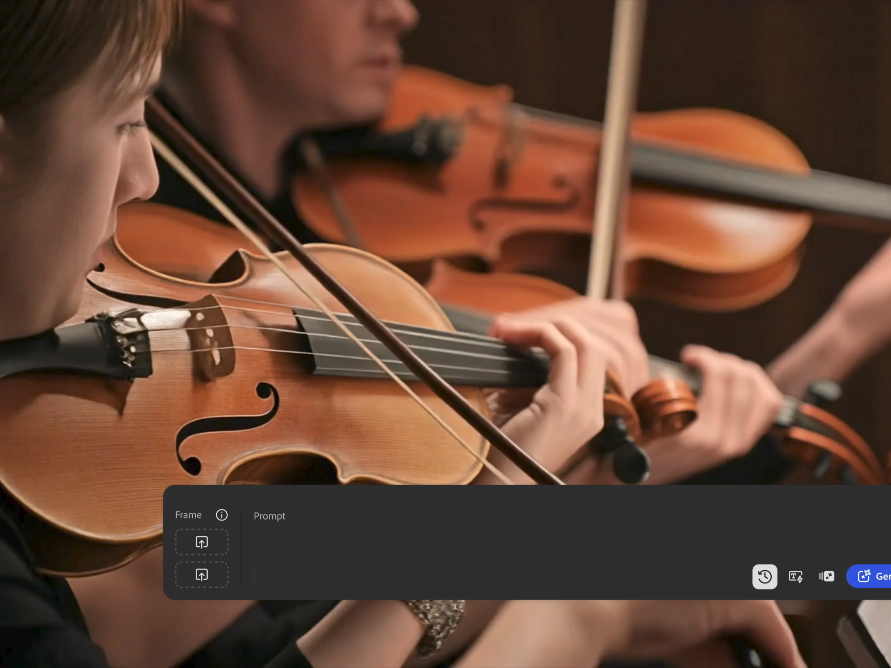
Few free image to video AI tools make a single clip 10 seconds or longer, so the practical route is to join shorter clips. Adobe Firefly’s image to video tool gives free daily generations of about five-second, watermark-free MP4 clips, and two connected clips on Firefly’s video editor timeline make a 10-second sequence.
Imagine a musician who wants to animate album artwork for a 15-second teaser, or a teacher turning a historical photo into a short scene for class. A five-second clip feels too abrupt for both. The good news is that longer results are within reach on a free budget, through three different routes. You can chain short clips from a hosted tool, spend one-time free credits on a longer generation, or run an open source model on your own hardware. Each route trades off something different: time, credits, or technical setup.
Chaining clips is the most accessible approach, and Firefly is built for it. Adobe says clips typically run about five seconds, depending on the model, and you can upload an optional end frame to guide where a clip finishes. That makes it easier to plan two or three clips that flow together. For example, the first clip could push in toward the album cover, and the second could continue with a slow pan across the artwork. Then you trim and arrange them in Firefly’s video editor, which is in public beta on desktop. Keeping the same camera direction and similar prompt wording across clips helps the cuts feel seamless.
Which Image to Video AI Free Tier Has the Longest Video Duration?
The image to video AI free tier with the longest video duration depends on whether you mean one generation or a finished sequence. The table below compares four options, based on Adobe’s page for Firefly and recent comparison guides for the others.
| Platform | Free access | Duration details |
| Adobe Firefly | Free daily generations with the Firefly Video Model | About 5 seconds per clip, model-dependent; chain clips in the video editor; no watermark |
| Runway | 125 one-time credits | Gen-4 models generate 5- or 10-second clips; free output is watermarked |
| Wan 2.2 (self-hosted) | Free to download under Apache 2.0 | Clips up to about 15 seconds, per a comparison guide; needs your own GPU |
| LTX-2.3 (self-hosted) | Open weights under a community license | Clips up to about 30 seconds with synchronized audio, per a comparison guide |
Hosted free tiers usually top out around 10 seconds per clip. The longest single generations come from open models you run yourself.
Getting Long Duration From a Free Image to Video AI Generator With Free Credits
Getting long duration from a free image to video AI generator with free credits takes some planning, because most tools charge by the second.
On Runway, comparison guides put Gen-4 Turbo at roughly 5 credits per second. A 10-second clip uses about 50 of the 125 one-time free credits, so you’ll get only a couple of long tests before credits run out.
On Firefly, the free daily generations refresh, which suits a build-it-over-time approach. Generate one connected clip a day, or a few in one session, and assemble them on the timeline.
A few tips stretch any free budget further. Test your prompt with a short clip before committing to a long one. Use a strong, high-resolution source image, since redoing a generation costs as much as the first try. And keep motion gentle, which tends to hold up better over longer durations.
How Pricing and Free Credits Work for Video Generation
Pricing and free credits for video generation usually follow the same pattern: each clip costs credits based on length, resolution, and model.
Adobe describes generative credits as what you use to create content with Firefly tools, including image to video. Free accounts get free daily generations with the Firefly Video Model, while paid plans add higher-volume generation and access to more partner models from Google, Runway, Luma, and OpenAI. That matters for duration, since partner models may offer different clip lengths than the Firefly Video Model.
Elsewhere, comparison guides note that Kling’s credit costs scale with clip length and resolution, and its free credits reset daily without rolling over. Runway’s free credits are a one-time grant.
Open source models flip the equation. The software is free, but you pay in hardware and setup time instead of credits.
FAQ
Can I extend a Firefly clip past five seconds?
Not in a single generation with the Firefly Video Model, since clips typically run about five seconds. Instead, generate connected clips, use an end frame to guide transitions, and join them in Firefly’s video editor.
Do longer AI clips look worse?
They can. Longer generations give the model more time to drift, which may cause warping or inconsistent details. Shorter, connected clips with gentle motion often look cleaner.
Can I use free Firefly clips commercially?
Adobe says videos generated from an image with Firefly models are commercially safe, as long as the uploaded image doesn’t violate copyright, trademark, privacy, publicity, or other rights.