What is the problem with EHR systems today?
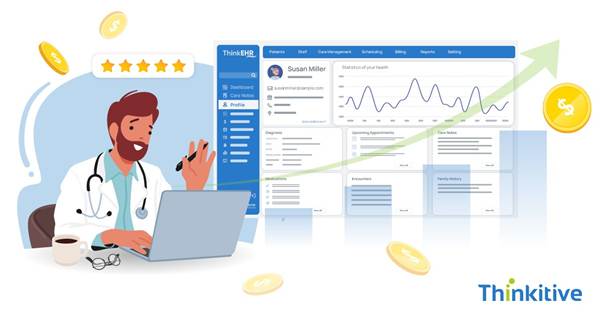
Well, if you look closely, then you would realize that instead of spending more time with the patients, providers spend much time clicking and navigating through the screens of their EHR software.
This is because most of the practices use off-the-shelf EHR software, and the poor infrastructure and generic UIs bring problems like click fatigue. Along with that, with rigid templates and fragmented workflows, disrupting the dataflows, you often see people just staring at their screen in between their consultations.
This is the reason why many healthcare providers are turning their heads towards custom EHR software. These software systems allow them to curate the workflows of their EHR software systems at their will. For instance, with a workflow-first alternative, the software can be designed to actually help clinicians and make their work easier.
But the question that comes here is, ‘How can custom EHR development impact clinical workflow efficiency?’
Well, let’s find that out in this blog and know how the EHR system is changing the way software systems work. So, without further ado, let’s get started!
How Generic EHRs Disrupt Clinical Workflows
Before understanding the clinical workflow efficiency you get with custom EHR development, let’s first try to understand why generic EHR software systems fail or disrupt the clinical workflows.
Here are some of the most flagged reasons by the healthcare providers:
- One-Size-Fits-All Template: Most of the generic EHR software is built with a one-size-fits-all approach. Now, this approach works perfectly for a generic or a small-scale practice. However, if you venture into customization and specialty, then the workflows of the software and your practice simply don’t add up. Hence, providers spent additional time on their systems.
- Separate Systems: One of the major problems that these practices using generic EHR software face is that they have to use separate systems for separate activities, which include billing, imaging, appointment scheduling, etc. And the use of these separate systems causes duplication of data entry, which can further complicate the processes.
- Poor Role Alignment: There should be separate UI, dashboards, and templates for separate roles using the software system. While it should be different, it should also be aligned with the main system or database to have a set workflow. However, due to poor role-based functioning alignment, it creates confusion amongst users operating on different levels, such as doctors, nurses, and administrative staff.
Now, if you do the aftermath of all these things, it will result in delayed documentation, after-hours charting sessions often termed as pyjama times, and piling frustrations. And here you get some of the major reasons for your inefficiency.
How Custom EHR Software Streamlines Clinical Operations
Now that you know and are able to pinpoint the problems in your software system that are leading to inefficiencies, let’s see the possible solutions that a custom EHR software can provide to you.
Here are some ways in which custom EHR software solves the clinical workflow efficiency problems:
- Workflow-Aligned Templates: The advantage you get with a custom EHR software is that of improved documentation. For instance, if you are a specialty practice, a custom EHR gives you the liberty to design the software as per your specialty-specific documentation needs, which will make the UI cleaner, and the fields required will also be minimal.
- Role-Based Interfaces: Since there are multiple people in multiple roles in your practice, role-based interfaces enable access to the required information that is relevant to their role. This makes the processes much easier and avoids confusion completely.
- Automation: Synchronization and automation embedded into your processes can enable your practice in digital intake, automated reminders to reduce no-shows. Furthermore, it can also be implemented for prescription refills and eligibility checks for patients.
- Integrated Systems: On top of that, your requirement of creating a centralized system with all the systems interlinked with your EHR system can be done here. You see, with seamless connectivity with labs, pharmacies, imaging systems, and billing, it can be easily achieved with modern APIs.
- Clinical Decision Support: Another use case of custom EHR software with the latest technologies can be seen in clinical decision support. With AI modules trained on context-aware situations, EHR systems can actually provide you with suggestions that will not interrupt your care delivery, instead speeding up with personalized and proactive care approaches.
Real Efficiency Gains Clinics Experience
If you have made it this far, then you know how custom EHR solves the problems left behind by generic EHR software. However, while these features and functionalities are implemented somewhere, their impact can be felt in some other parts. Let’s see the real efficiency that clinics experience with the implementation of custom EHR software.
For instance, with features like last automation and scheduling, faster patient charting can be felt, and this single feature reduces the after-hours documentation time of the providers. The pyjama times can be their real pyjama times.
Apart from that, a higher patient throughput without extending clinic hours is one of the major benefits that many practices look forward to. Some of the factors that are responsible for this are automation and integrated systems.
On top of that, a custom EHR system also improves the coding accuracy with suggestions. This eliminates the burden on administrative teams extensively, and the chances of burnout are reduced to a minimum with elevated satisfaction levels.
And the most remarkable or notable impact that can be seen is that providers get to spend more time with patients on patient care rather than on data entry.
Security & Compliance Without Workflow Distribution
A core challenge that you have to face with custom development is that of security and compliance with regulatory bodies. Though the processes become much easier, adhering to these compliances without compromising on security and disrupting your workflows can be a little difficult.
To help you with that, here are some security and compliance aspects that you need to look for in custom EHR development.
- HIPAA-Aligned Access Controls: You must use the HIPAA guidelines and regulations as your blueprint for EHR security. With your access controls aligned with their guidelines and robust encryptions built into daily workflows, it can be ensured that your system is secure and safe to use.
- Role-Based Permissions: There are both clinical and non-clinical staff who will be accessing your custom EHR software. That is why role-based access controls must be implemented in your system. On top of that, with audit trail capabilities, you need to ensure that your software processes don’t slow down your providers.
- Secure Remote Access: With digital care delivery modules actively coming into the picture, your custom EHR system should give you secure remote access and support hybrid and multi-location care models. So that care delivery is not disrupted, and you can be in control of your system from anywhere and at all times.
Conclusion: Efficient Workflows Start with the Right EHR
One secret to having an efficient software system is to build it yourself. Especially when you are in the healthcare industry, this becomes even more necessary. You see, after deciding a particular workflow for care delivery and also for data flow, it makes sense that your software should align, but with generic systems, quite the contrary is observed. That is why you should go ahead with custom EHR development.
With a customized EHR software, you not only reduce costs, but the focus is redirected to patient care. On that note, let’s curate the right EHR for your practice. Click here to get your first free consultation.
FAQs
How does custom EHR software improve clinical workflow efficiency?
Custom EHR software is designed around real clinical workflows rather than forcing teams to adapt to generic systems. It streamlines documentation, automates repetitive tasks, reduces unnecessary clicks, and aligns screens with how clinicians actually work. By tailoring workflows to roles, specialties, and care settings, custom EHRs significantly improve clinical workflow efficiency and reduce time spent on administrative work.
Can custom EHR software integrate with labs and pharmacy systems?
Yes. Custom EHR solutions are built with interoperability in mind and can integrate seamlessly with laboratory systems, pharmacies, imaging centers, billing platforms, and third-party health tools. Using standards like HL7 and FHIR, data flows automatically between systems—eliminating manual entry, reducing errors, and speeding up clinical decision-making.
Is custom EHR software suitable for specialty clinics?
Absolutely. Custom EHR software is especially valuable for specialty clinics because it supports specialty-specific workflows, documentation templates, clinical pathways, and billing requirements. Whether it’s cardiology, pediatrics, mental health, or orthopedics, a custom EHR can be configured to match the unique operational and clinical needs of each specialty.
Can custom EHR solutions help reduce clinician burnout?
Yes. One of the biggest benefits of custom EHR development is burnout reduction. By minimizing documentation burden, simplifying navigation, automating routine tasks, and improving data visibility, custom EHRs allow clinicians to focus more on patient care and less on screens—leading to better job satisfaction and improved care quality.
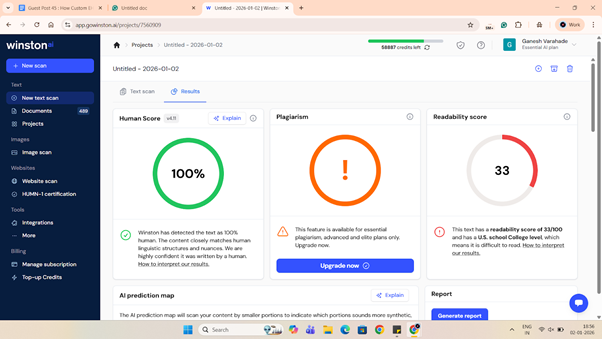
Winston Human Score:
Semrush SEO: